
Sessions that make sense
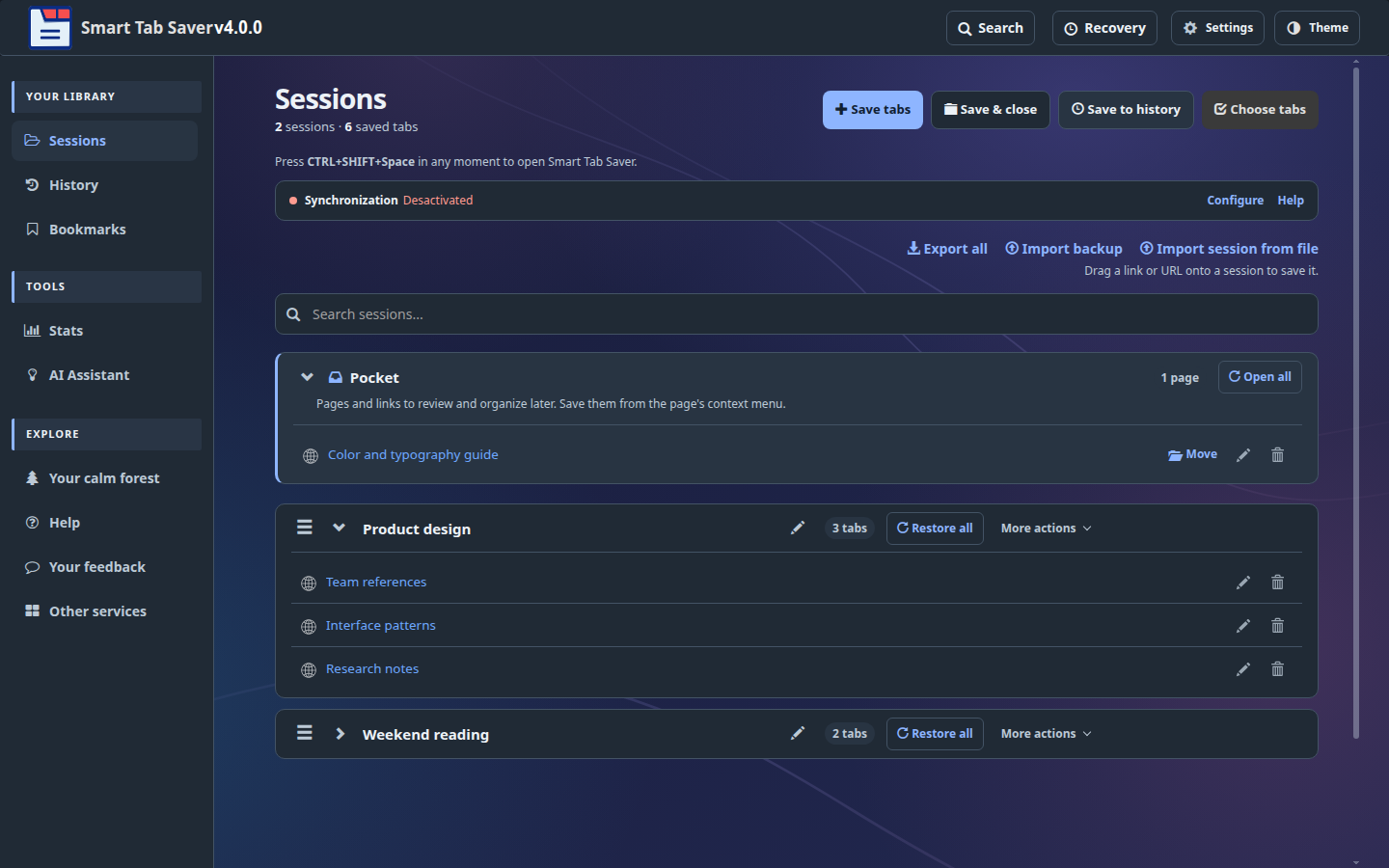
Save a whole window or choose specific tabs. Keep them open, or close eligible tabs after they are safely saved. Restore the session when you need it.
A calmer way to browse
Save the pages you need, find them again in seconds, and keep your browser ready for what comes next.
For Chrome and Chromium-based browsers. AI and account sync are optional.
Built for real browsing
Keep the pages you want without keeping every tab open.
Save a whole window or choose specific tabs. Keep them open, or close eligible tabs after they are safely saved. Restore the session when you need it.
Search open tabs, sessions, Pocket, local history and, with your permission, browser bookmarks. You can also start from the address bar with sts.
Save a page or link without naming a new session. Pocket stays at the top of Sessions, ready to open or move into a project.
Undo supported deletions, reopen recent local window recovery points, and export a backup of your sessions before making bigger changes.
User voices
Comments shared with permission and selected by JavocSoft.
A simple workflow
Smart Tab Saver keeps the important part of a busy browsing session: the pages and how you grouped them.
Try the extensionSave all tabs or select the ones you want. Browser tab groups and pinned tabs can be restored with the session.
Use the dashboard, compact side panel or sts in the address bar to search your library.
Open a saved page or restore a full session. Your current work can stay in its own window.
Clear choices
Use the core features locally. Turn on other services only when they help you.
Search and organize local sessions, history and Quick Access. The extension accesses browser bookmarks only after you grant permission.
Sync Sessions and Pocket with a Smart Tab Saver account. Browser history, bookmarks and local recovery points are not part of that upload.
Add your own provider key if you want AI features. Relevant titles, URLs and your questions may be sent to the provider you choose.
Good to know
More guidance is available inside the extension's Help page.
No. You can save a session and leave its tabs open, or choose Save & close. You can also select only some tabs from the current window.
No. Sessions, Pocket, local search and tab management work without an account or AI. Account sync and AI are separate options.
No. Smart Tab Saver uses browser bookmarks locally when you enable access. They are separate from sessions synced with a Smart Tab Saver account.
The all-sessions backup contains saved sessions and their order. It does not contain browser bookmarks, local history, account credentials or AI keys.
In the dashboard, Undo and Recovery can restore deleted Sessions, Pocket entries and Smart Tab Saver History. Recovery also keeps recent local snapshots of your open windows. Browser bookmarks deleted from Smart Tab Saver are removed from Chrome and are not kept in this trash.
The Sessions page shows the shortcut currently assigned by your browser and links to Chrome's extension shortcut settings. The suggested key is Ctrl+Shift+Y (Command+Shift+Y on Mac); you can assign another key there if it is unavailable or conflicts with another shortcut.
Only if you have an activated account and choose to receive updates in Account and cloud settings. You can stop them there or through the link in an update email. Your account and sync will still work.
Only if you separately choose to suggest a written comment for publication and provide a public name or alias. We review every proposed comment before it appears; your email is never published, and you can withdraw permission later. You can always send private feedback instead.
Product updates
See what's new in version 4.0.2 and browse earlier milestones.
Ready when you are
Bring your tabs together and get back to your work.